NBCP Manuals & User Guides
NBCP manufactures gaming accessories including wireless controllers, Guitar Hero guitars, and retro consoles for platforms like PS5, Switch, and PC.
About NBCP manuals on Manuals.plus
NBCP is a consumer electronics brand specializing in third-party gaming peripherals and accessories. The company produces a wide array of controllers compatible with major gaming platforms, including PlayStation, Nintendo Switch, PC, and mobile devices. Their product lineup features wireless gamepads, racing wheel shifters, and specialty items like Guitar Hero controller replicas.
Known for providing affordable alternatives to first-party hardware, NBCP devices often include advanced customization options such as programmable macro buttons, turbo functions, and RGB lighting. The brand focuses on enhancing the gaming experience through versatile and functional accessories.
NBCP manuals
ഏറ്റവും പുതിയ മാനുവലുകൾ manuals+ ഈ ബ്രാൻഡിനായി ക്യൂറേറ്റ് ചെയ്തിരിക്കുന്നു.
NBCP manuals from online retailers
NBCP Wired Game Controller Model 736D Instruction Manual for PS5, PS4, PC, and Steam
NBCP X6 Wireless Pro Controller Instruction Manual
NBCP Wireless Controller for PS4/PS3/PC/iOS/Android (Model 736C) User Manual
NBCP Wireless Gaming Controller User Manual for Switch, PC, Android, and iOS
NBCP Large Gaming Mouse Pad - NES Retro Controller Desk Mat User Manual
NBCP Wireless Guitar Controller X615W Instruction Manual
NBCP WOLF-V8L Wireless Game Controller User Manual
NBCP Wireless Controller 726F Instruction Manual
NBCP Wireless Controller Model 736C User Manual
NBCP Wired Controller Instruction Manual for Xbox 360, Xbox 360 Slim & PC
NBCP Universal Gaming Controller and Headset Stand Instruction Manual
NBCP Wireless PC Controller KT736 Instruction Manual
NBCP support FAQ
ഈ ബ്രാൻഡിനായുള്ള മാനുവലുകൾ, രജിസ്ട്രേഷൻ, പിന്തുണ എന്നിവയെക്കുറിച്ചുള്ള പതിവ് ചോദ്യങ്ങൾ.
-
How do I connect my NBCP controller to a PC?
Most NBCP controllers connect via USB-C cable for a wired connection or via Bluetooth for wireless use. For wireless pairing, typically hold the Home and Share/Create buttons simultaneously until the indicator light flashes rapidly, then select the device in your PC's Bluetooth settings.
-
How do I map the back buttons on my NBCP controller?
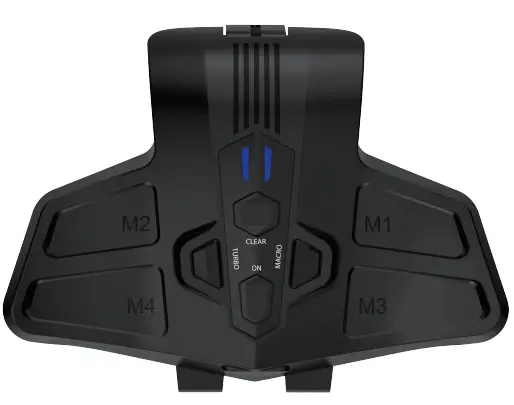
To map buttons, press the 'Macro' or designated setting key until the LED indicator blinks. Press the controller button you wish to map, then press the back paddle you want to assign it to. Press the Macro button again to save the configuration.
-
Does the NBCP Guitar controller work with Clone Hero?
Yes, many NBCP wireless guitar controllers are compatible with PC games like Clone Hero, as well as legacy console titles on PS3 and PS4. Ensure the USB dongle is connected and the mode switch is set to the correct platform.
-
How do I update the firmware on my NBCP device?
Firmware updates, if available, are typically downloaded via a PC tool. Refer to the specific user manual for your model, which may direct you to a download site (e.g., xiazai7.com) to retrieve the update package.