ആമുഖം
This manual provides detailed instructions for the NBCP Wireless Gaming Controller. Designed for versatility, this controller is compatible with Nintendo Switch, Switch Lite, Switch OLED, PC, Android, and iOS devices. It features advanced functionalities such as a 6-axis gyro sensor, customizable macro buttons, adjustable dual vibration, and a TURBO continuous fire function to enhance your gaming experience.
ഉൽപ്പന്നം കഴിഞ്ഞുview
Familiarize yourself with the controller's layout and key features.

ചിത്രം 1: Controller Layout. This image displays the front view of the NBCP Wireless Gaming Controller, highlighting key components such as the Home button, Screenshot button, Turbo button, Crystal buttons (A, B, X, Y), Rockers (analog sticks), Cross Key (D-pad), RGB lighting, and LED light effects.
പ്രധാന സവിശേഷതകൾ:
- ഒറ്റ ക്ലിക്ക് ആരംഭിക്കുക: Convenient function for immediate gameplay.
- 6-ആക്സിസ് ഗൈറോ സെൻസർ: Detects precise movements for intuitive control in action and racing games.
- Rear Macro Buttons (ML/MR): Customizable buttons for complex operations.
- വയർലെസ് ബ്ലൂടൂത്ത് കണക്ഷൻ: Provides a comfortable, cable-free gaming experience.
- TURBO Continuous Fire Function: Automatically fires continuously by pressing a specific button.
- Adjustable Dual Vibration: 4-സെtage HD vibration for immersive feedback.
- 7-Color RGB Lighting: Customizable lighting effects for personalized aesthetics.
- 1000Hz പോളിംഗ് നിരക്ക്: Ensures responsive input.
- Drift Repair: Built-in functionality to address stick drift.
സജ്ജീകരണവും കണക്ഷനും
1. പ്രാരംഭ ചാർജിംഗ്
Before first use, fully charge the controller. Connect the controller to a USB power source using the provided USB-C cable.
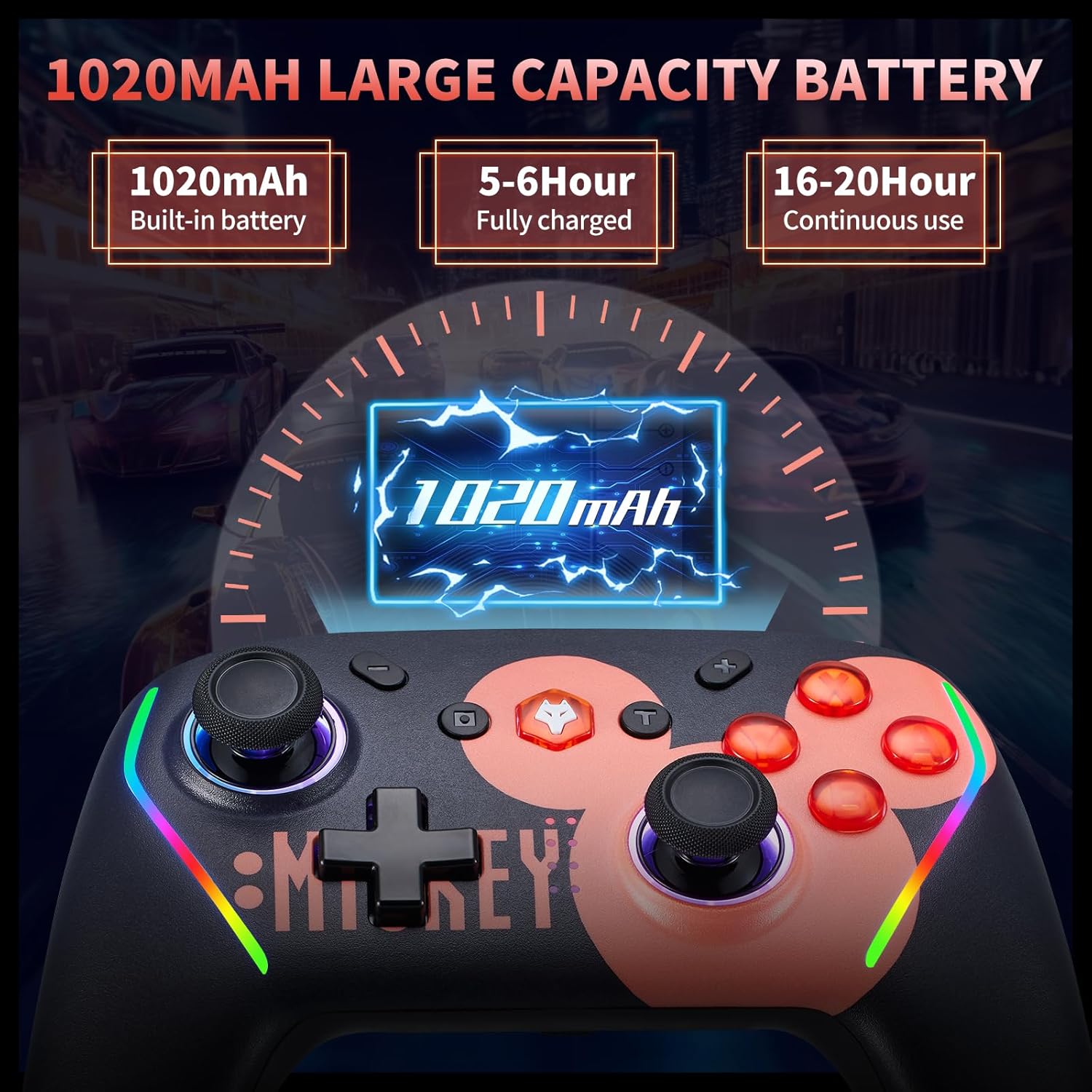
ചിത്രം 2: Battery Information. The controller features a 1020mAh built-in battery, requiring 5-6 hours for a full charge and providing 16-20 hours of continuous use.
2. Connecting to Nintendo Switch/Lite/OLED
- നിങ്ങളുടെ Nintendo Switch കൺസോളിൽ, ഹോം മെനുവിലേക്ക് പോകുക.
- 'കൺട്രോളറുകൾ' > 'ഗ്രിപ്പ്/ഓർഡർ മാറ്റുക' തിരഞ്ഞെടുക്കുക.
- Press and hold the Home button on the NBCP controller for a few seconds until the LED indicators start flashing.
- Once connected, the LED indicator(s) on the controller will light up solid.
- One-Click Wake Up: After initial pairing, you can wake up your Switch console by pressing the Home button on the controller.

ചിത്രം 3: Compatibility and Wake-Up Feature. This image illustrates the controller's compatibility with Nintendo Switch, Switch Lite, and Switch OLED models, along with the convenient one-click wake-up function.
3. Connecting to PC (Wired/Wireless)
- വയർ: Connect the controller to your PC using a USB-C cable. The PC should automatically detect and install the necessary drivers.
- വയർലെസ് (ബ്ലൂടൂത്ത്): Ensure your PC has Bluetooth enabled. Go to Bluetooth settings, search for new devices, and select 'NBCP Controller' to pair.
4. Connecting to Android & iOS Devices
നിങ്ങളുടെ Android അല്ലെങ്കിൽ iOS ഉപകരണത്തിൽ Bluetooth പ്രവർത്തനക്ഷമമാക്കിയിട്ടുണ്ടെന്ന് ഉറപ്പാക്കുക. ഇതിനായി തിരയുക new Bluetooth devices and select 'NBCP Controller' to pair.
പ്രവർത്തന നിർദ്ദേശങ്ങൾ
1. Macro Programming (ML/MR Buttons)
The ML and MR buttons on the back of the controller can be programmed to perform various combinations of actions. You can assign single buttons (A, B, X, Y, L, R, L2, R2) or directional inputs (up/down/left/right) to these macro buttons.

ചിത്രം 4: Macro Programming. This image illustrates the location of the ML and MR macro buttons on the back of the controller and indicates that they can be programmed with various button combinations.

ചിത്രം 5: Back Button Functionality. This image provides a detailed explanation of how to program the M1/M2 (ML/MR) buttons, allowing up to 16 instructions in a single program.
2. TURBO Continuous Fire Function
Activate the TURBO function to automatically repeat button presses, useful for shooting and action games. The controller supports three serial transmission speeds.

ചിത്രം 6: TURBO Firing Function. This image demonstrates the three-stage TURBO firing function, allowing users to set speeds of 5, 12, or 20 shots per second to reduce hand fatigue.

ചിത്രം 7: Automatic Serial Transmission. This image further details the automatic serial transmission function and its three adjustable speeds.
3. Adjustable Dual Vibration
The controller features 4-stage HD vibration, which can be adjusted to enhance immersion in games.

ചിത്രം 8: HD Vibration. This image illustrates the 4-stage adjustable HD vibration, ranging from 0% to 100%, providing tactile feedback for an immersive gaming experience.
4. 6-Axis Gyro Sensor
The integrated 6-axis gyro sensor allows for precise motion control, enabling accurate aiming and directional recognition in compatible games.

ചിത്രം 9: 6-Axis Gyroscope. This image visually explains how the 6-axis gyroscope recognizes multi-directional changes, allowing for quick and accurate aiming and enhanced visual interaction within games.
5. ആർജിബി ലൈറ്റിംഗ്
The controller features 7-color RGB lighting. Specific instructions for changing the lighting effects may be available through the companion application or a button combination (refer to the app section below).
6. Companion Application
An application may be available for customizing controller settings, including key mapping, macro settings, and system updates. Please refer to the product packaging or manufacturer's website for details on downloading and using the app.

ചിത്രം 10: Application Settings. This image shows a mobile application interface where users can potentially adjust key mappings, macro settings, and update the controller's firmware.
മെയിൻ്റനൻസ്
1. ബാറ്ററി പരിചരണം
The controller includes a 1020mAh rechargeable battery. To maximize battery life:
- ബാറ്ററി ഇടയ്ക്കിടെ പൂർണ്ണമായും ഡിസ്ചാർജ് ചെയ്യുന്നത് ഒഴിവാക്കുക.
- Charge the controller using a standard USB power source.
- If the controller will not be used for an extended period, charge it to about 50% before storing.

ചിത്രം 11: Removable Battery. This image highlights the removable battery design, which can extend the service life of the controller by allowing battery replacement.
2. വൃത്തിയാക്കൽ
Use a soft, dry cloth to clean the controller. Do not use harsh chemicals or abrasive materials, as these can damage the surface.
3. സംഭരണം
കൺട്രോളർ നേരിട്ട് സൂര്യപ്രകാശം ഏൽക്കാത്തതും തീവ്രമായ താപനില ഏൽക്കാത്തതുമായ ഒരു തണുത്ത വരണ്ട സ്ഥലത്ത് സൂക്ഷിക്കുക. കൺട്രോളറിൽ ഭാരമുള്ള വസ്തുക്കൾ വയ്ക്കുന്നത് ഒഴിവാക്കുക.
ട്രബിൾഷൂട്ടിംഗ്
- കൺട്രോളർ കണക്റ്റുചെയ്യുന്നില്ല: Ensure the controller is charged. Re-attempt the pairing process as described in the 'Setup and Connection' section. For PC, check Bluetooth drivers.
- ബട്ടണുകൾ പ്രതികരിക്കുന്നില്ല: Check if the controller is properly connected. If issues persist, try resetting the controller (refer to manufacturer's instructions for reset procedure, often a small pinhole button).
- സ്റ്റിക്ക് ഡ്രിഫ്റ്റ്: The controller includes drift repair functionality. If experiencing stick drift, consult the companion app or manufacturer's support for recalibration instructions.
- ബാറ്ററി ചാർജ്ജുചെയ്യുന്നില്ല: Ensure the USB-C cable and power source are working correctly. Try a different cable or charging port.
- TURBO function not working: Ensure the TURBO function is activated correctly and the desired button is assigned.
സ്പെസിഫിക്കേഷനുകൾ
| മോഡൽ | വയർലെസ് ഗെയിമിംഗ് കൺട്രോളർ |
| അനുയോജ്യത | Nintendo Switch/Lite/OLED, PC, Android, iOS |
| കണക്റ്റിവിറ്റി | ബ്ലൂടൂത്ത് 5.0, വയേർഡ് (USB-C) |
| ബാറ്ററി ശേഷി | 1020mAh |
| ചാർജിംഗ് സമയം | ഏകദേശം 5-6 മണിക്കൂർ |
| തുടർച്ചയായ ഉപയോഗ സമയം | ഏകദേശം 16-20 മണിക്കൂർ |
| ഗൈറോ സെൻസർ | 6-ആക്സിസ് ഗൈറോ |
| വൈബ്രേഷൻ | Adjustable Dual HD Vibration (4-stage) |
| RGB ലൈറ്റിംഗ് | 7-നിറം |
| പോളിംഗ് നിരക്ക് | 1000Hz |
| അളവുകൾ | 6.73 x 4.69 x 3.19 ഇഞ്ച് |
| ഭാരം | 11.7 ഔൺസ് |
വാറൻ്റിയും പിന്തുണയും
For warranty information or technical support, please refer to the product packaging or contact the seller/manufacturer directly. Keep your purchase receipt for warranty claims.


