മൗസ് മാനുവലുകളും ഉപയോക്തൃ ഗൈഡുകളും

മൗസ് ഉൽപ്പന്നങ്ങൾക്കായുള്ള ഉപയോക്തൃ മാനുവലുകൾ, സജ്ജീകരണ ഗൈഡുകൾ, ട്രബിൾഷൂട്ടിംഗ് സഹായം, നന്നാക്കൽ വിവരങ്ങൾ.

നുറുങ്ങ്: ഏറ്റവും മികച്ച പൊരുത്തത്തിനായി നിങ്ങളുടെ മൗസ് ലേബലിൽ പ്രിന്റ് ചെയ്‌തിരിക്കുന്ന പൂർണ്ണ മോഡൽ നമ്പർ ഉൾപ്പെടുത്തുക.

മൗസ് മാനുവലുകൾ

ഈ ബ്രാൻഡിനായുള്ള ഏറ്റവും പുതിയ പോസ്റ്റുകൾ, ഫീച്ചർ ചെയ്ത മാനുവലുകൾ, റീട്ടെയിലർ-ലിങ്ക്ഡ് മാനുവലുകൾ tag.

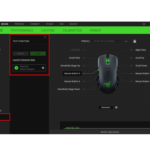
റേസർ മൗസിൽ ഓൺ-ദി-ഫ്ലൈ സെൻസിറ്റിവിറ്റി എങ്ങനെ പ്രവർത്തനക്ഷമമാക്കാം

ഏപ്രിൽ 1, 2021
റേസർ മൗസിൽ ഓൺ-ദി-ഫ്ലൈ സെൻസിറ്റിവിറ്റി എങ്ങനെ പ്രവർത്തനക്ഷമമാക്കാം റേസർ സിനാപ്‌സ് തുറക്കാതെ തന്നെ ഗെയിമർമാർക്ക് അവരുടെ ഡിപിഐ ലെവൽ തൽക്ഷണം ക്രമീകരിക്കാൻ പ്രാപ്‌തമാക്കുന്ന റേസർ മൗസിന്റെ സെൻസിറ്റിവിറ്റി സവിശേഷതകളിൽ ഒന്നാണ് ഓൺ-ദി-ഫ്ലൈ സെൻസിറ്റിവിറ്റി. ഈ സവിശേഷത ഉപയോഗിച്ച്, നിങ്ങൾ…

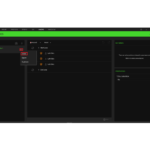
റേസർ സിനാപ്‌സ് 3 ൽ മാക്രോകൾ എങ്ങനെ സൃഷ്ടിക്കാം അല്ലെങ്കിൽ ഇല്ലാതാക്കാം?

ഏപ്രിൽ 1, 2021
Create or delete macros on Razer Synapse-3 Updated 01-Mar-2021 | Answer ID: 1483 A "macro" is an automated set of instructions (multiple keystrokes or mouse clicks) that can be executed using a simple action such as a single keystroke. To utilize macros within…

വിൻഡോസിൽ റേസർ സിനാപ്‌സ് 3, 2.0 എന്നിവയുടെ ശുദ്ധമായ പുന-ഇൻസ്റ്റാളേഷൻ എങ്ങനെ നടത്താം

ഏപ്രിൽ 1, 2021
Perform a clean re-installation of Razer Synapse 3 & 2.0 on Windows A clean re-installation of Razer Synapse is recommended if you encounter a recurring software issue. Here is the video on how to perform a clean re-installation of Synapse.…

റേസർ ഹൈപ്പർഷിഫ്റ്റ്: നിങ്ങളുടെ റേസർ മൗസ് എങ്ങനെ സജീവമാക്കാം | ഉപയോക്തൃ മാനുവൽ

ഏപ്രിൽ 1, 2021
The Razer Hypershift is a unique feature that allows users to switch between different sets of controls and commands on their Razer mouse. By programming the Hypershift to your mouse, you can save multiple commands on one button and easily…