ആമുഖം
This manual provides detailed instructions for the NBCP Wired Game Controller, Model 736D. It covers setup, operation, maintenance, and troubleshooting to ensure optimal performance and longevity of your device. This controller is designed for use with PlayStation 5, PlayStation 4, PC (Windows 10/11), and Steam platforms.
സജ്ജമാക്കുക
കൺട്രോളർ ബന്ധിപ്പിക്കുന്നു
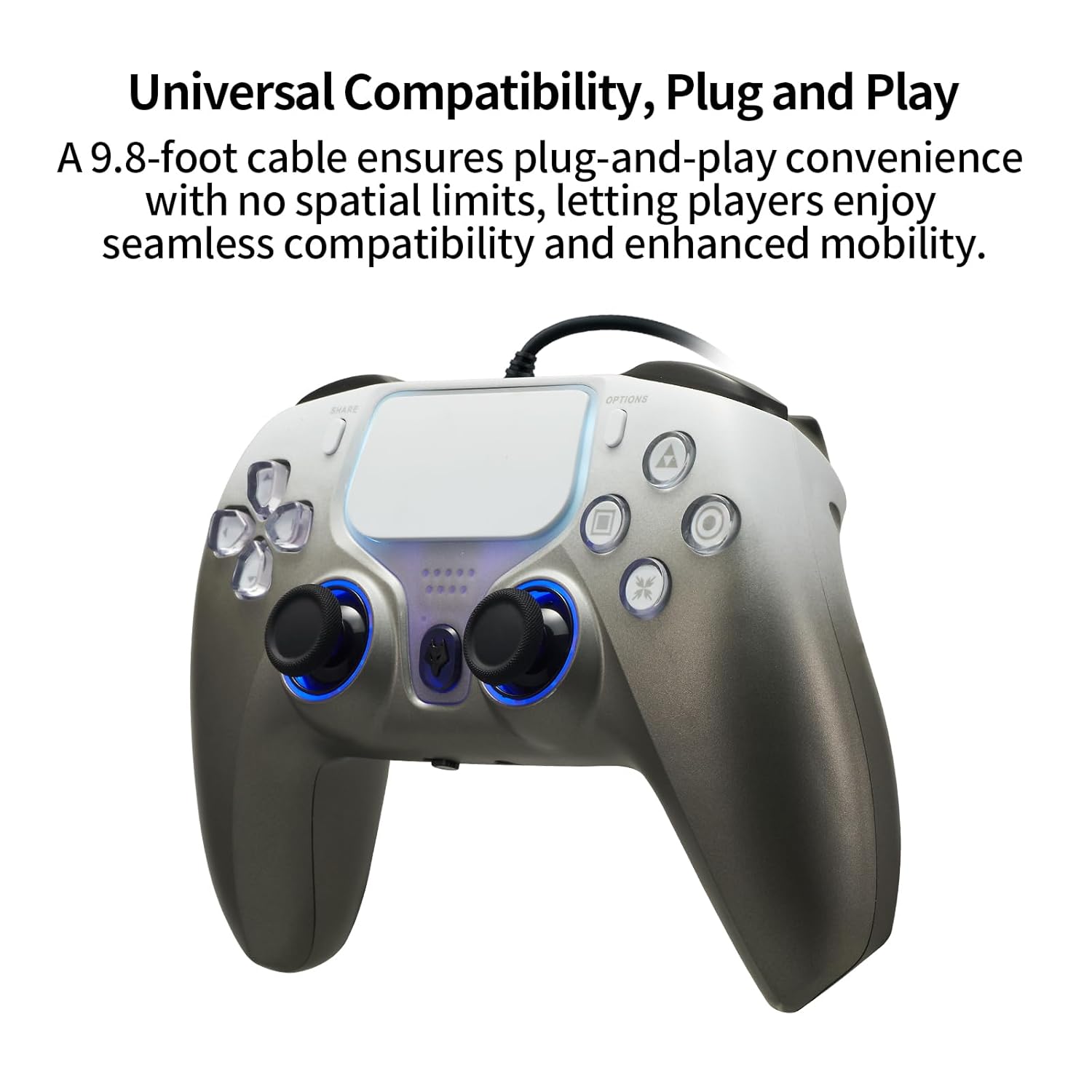
The NBCP Wired Game Controller connects via a USB cable, providing a stable and lag-free gaming experience. The controller features a 9.8-foot (approximately 3-meter) USB cable for ample room and flexibility during gameplay.
- Locate an available USB port on your PlayStation 5, PlayStation 4, or PC.
- Plug the USB cable from the controller into the USB port of your console or computer.
- The controller is plug-and-play. Your system should automatically detect and configure the device.
ഓഡിയോ കണക്ഷൻ
The controller includes a 3.5mm headphone jack for direct audio connection. To enable audio output through the controller on PlayStation consoles:
- Connect your headphones to the 3.5mm jack on the controller.
- On your PlayStation console, navigate to the accessory settings.
- Set the communication method to "Use USB cable" to route audio through the controller.
കൺട്രോളർ പ്രവർത്തിപ്പിക്കുന്നു
പ്രധാന സവിശേഷതകൾ
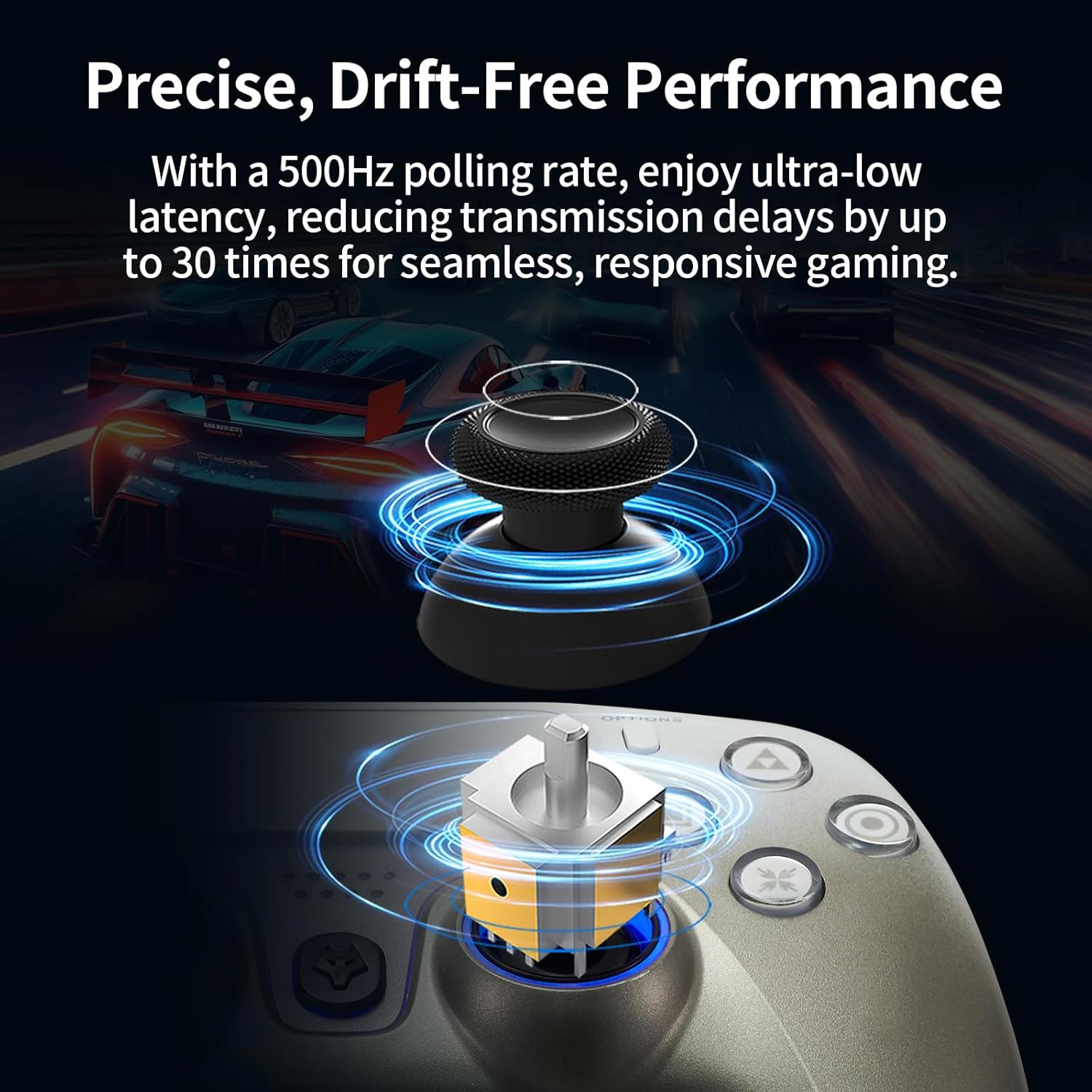
- ഹാൾ ഇഫക്റ്റ് ട്രിഗറുകൾ: These triggers provide precise linear feedback and stable performance, eliminating stick drift and ensuring greater accuracy through magnetic sensors.
- ഡ്യുവൽ വൈബ്രേഷൻ മോട്ടോറുകൾ: Experience immersive feedback with precise rumble effects that enhance realism in gameplay.
- 6-ആക്സിസ് ഗൈറോ സെൻസർ: The built-in gyroscope offers precise motion control for aiming, steering, and advanced maneuvers in compatible games.
- ടർബോ ഫംഗ്ഷൻ: Activate rapid-fire capabilities for certain actions, providing a competitive edge.
- ജോയിസ്റ്റിക് കാലിബ്രേഷൻ: Built-in calibration ensures pinpoint accuracy for joysticks and triggers.
- എർഗണോമിക് ഡിസൈൻ: The controller is designed for comfort during extended gaming sessions.
സവിശേഷത വിശദാംശങ്ങൾ


ഉൽപ്പന്ന പ്രദർശന വീഡിയോ
മെയിൻ്റനൻസ്
To ensure the longevity and optimal performance of your NBCP Wired Game Controller, follow these simple maintenance guidelines:
- വൃത്തിയാക്കൽ: കൺട്രോളർ പതിവായി തുടയ്ക്കാൻ മൃദുവായതും ഉണങ്ങിയതുമായ തുണി ഉപയോഗിക്കുക. കഠിനമായ അഴുക്കിന്, ചെറുതായി dampതുണിയിൽ വെള്ളം ഒഴിക്കുക. കഠിനമായ രാസവസ്തുക്കളോ അബ്രസീവ് ക്ലീനറുകളോ ഉപയോഗിക്കുന്നത് ഒഴിവാക്കുക.
- സംഭരണം: Store the controller in a clean, dry place away from direct sunlight, extreme temperatures, and excessive moisture.
- കേബിൾ കെയർ: Avoid sharply bending or twisting the USB cable. Do not pull the cable to disconnect the controller; always grasp the plug.
- കൈകാര്യം ചെയ്യൽ: കൺട്രോളർ ശ്രദ്ധയോടെ കൈകാര്യം ചെയ്യുക. അത് താഴെയിടുകയോ ശക്തമായ ആഘാതങ്ങൾക്ക് വിധേയമാക്കുകയോ ചെയ്യരുത്.
ട്രബിൾഷൂട്ടിംഗ്
If you encounter issues with your NBCP Wired Game Controller, please refer to the following common solutions:
- കൺട്രോളർ പ്രതികരിക്കുന്നില്ല:
- യുഎസ്ബി കേബിൾ കൺട്രോളറിലേക്കും കൺസോളിലേക്കും/പിസിയിലേക്കും സുരക്ഷിതമായി ബന്ധിപ്പിച്ചിട്ടുണ്ടെന്ന് ഉറപ്പാക്കുക.
- കൺട്രോളർ മറ്റൊരു USB പോർട്ടിലേക്ക് ബന്ധിപ്പിക്കാൻ ശ്രമിക്കുക.
- നിങ്ങളുടെ കൺസോൾ അല്ലെങ്കിൽ പിസി പുനരാരംഭിക്കുക.
- If on PC, ensure necessary drivers are installed (usually automatic for Windows 10/11 and Steam).
- No Audio from Headphone Jack:
- Verify your headphones are fully plugged into the 3.5mm jack.
- On PlayStation consoles, confirm that the communication method in accessory settings is set to "Use USB cable."
- Test your headphones with another device to ensure they are functioning correctly.
- Buttons or Joysticks Not Functioning Correctly:
- Perform a controller calibration if available in your system settings (especially for joysticks/triggers).
- ബട്ടണുകളിലോ ജോയ്സ്റ്റിക്കുകളിലോ അവശിഷ്ടങ്ങൾ തടസ്സമാകുന്നില്ലെന്ന് ഉറപ്പാക്കുക.
- Test the controller on a different game or platform to isolate the issue.
- Turbo Function Issues:
- Refer to the specific game's settings to ensure compatibility with rapid-fire functions.
- Ensure the Turbo button is activated correctly according to the controller's internal instructions (if any specific sequence is required).
സ്പെസിഫിക്കേഷനുകൾ
| ഫീച്ചർ | വിശദാംശങ്ങൾ |
|---|---|
| മോഡൽ നമ്പർ | 736D |
| അനുയോജ്യത | PlayStation 5, PlayStation 4, PC (Windows 10/11), Steam |
| കണക്ഷൻ തരം | വയർഡ് യുഎസ്ബി |
| കേബിൾ നീളം | 9.8 അടി (ഏകദേശം 3 മീറ്റർ) |
| ട്രിഗറുകൾ | ഹാൾ ഇഫക്റ്റ് ട്രിഗറുകൾ |
| വൈബ്രേഷൻ | ഡ്യുവൽ വൈബ്രേഷൻ മോട്ടോറുകൾ |
| മോഷൻ സെൻസർ | 6-ആക്സിസ് ഗൈറോസ്കോപ്പ് |
| ഓഡിയോ പോർട്ട് | 3.5 എംഎം ഹെഡ്ഫോൺ ജാക്ക് |
| അധിക സവിശേഷതകൾ | Turbo Function, Joystick/Trigger Calibration |
| ഇനത്തിൻ്റെ ഭാരം | 0.634 ഔൺസ് (ഏകദേശം 18 ഗ്രാം) |
| പാക്കേജ് അളവുകൾ | 6.65 x 4.69 x 3.11 ഇഞ്ച് |
വാറൻ്റി വിവരങ്ങൾ
For detailed warranty information regarding your NBCP Wired Game Controller, please refer to the product packaging or visit the official NBCP webസൈറ്റ്. വാറന്റി നിബന്ധനകളും വ്യവസ്ഥകളും പ്രദേശത്തിനും റീട്ടെയിലർക്കും അനുസരിച്ച് വ്യത്യാസപ്പെടാം.
ഉപഭോക്തൃ പിന്തുണ
If you require further assistance or have questions not covered in this manual, please contact NBCP customer support. Contact details can typically be found on the product packaging or the official NBCP webസൈറ്റ്.

